

|
First, as before, I decide what size I want my tile to be. Here I have marked the edges of my tile in blue; this will help me to line things up properly later. |

|
Next, I make a design. |
 
|
If I want to see how it looks as is, I take the blue part off and tile it. This design plays with the eye a bit by having the flower off to one side of the leaves and having the leaves twist, leaving a negative space (the bit between the pictures) which resembles a modified houndstooth pattern. Nonetheless, the pattern from flower to flower forms a square and one may clearly see where the tiles are formed. There are ways to slightly modify the squared-off look so that individual tiles are not so distinct. |
|
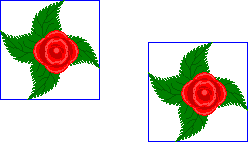
Here I've gone back to my outlined tile, moved the edges of the work area so that there was room to move things around, and put a copy of my disign in the work area outside of the first tile. |
|
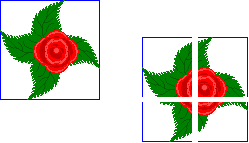
I cut the design into four parts (I used equal parts here, but they needn't be, as long as no area has been eliminated and the edges are square). |
|
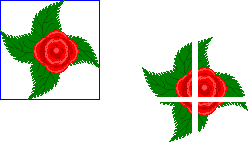
I eliminated the blue lines on the divided design; I'm going to be pasting these parts next, and I wouldn't want to paste over any of my original design. |
|
I've pasted my design pieces into the appropriate corners of my first tile, lining the right angles up carefully with the blue marked edges and making sure no pixels were lost. Then I made the work area its original size. You can still see some of the blue edges, where they weren't covered by the pasted design. |
|
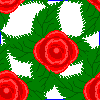
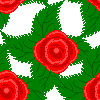
The bits of blue are eliminated, and the design is ready for tiling. Here the roses line up in a diamond shape, diagonally. It's still regular, but it's not as clear cut where one tile leaves off and the next begins. |
diy | diy 2 | diy 3 | fall | flora | granny | home | light | lobstah | misc. | more | punk | spring | stained glass | summer | summer linnens | tile | vorkosigan | winter