
The effect of a picture through a frosty window is a bit fussy, but can be nice. Here's how I do it.
|
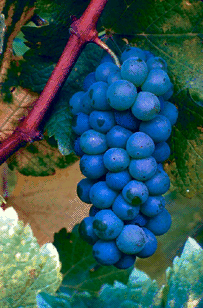
Start with a picture or photo, and make sure you're saving an unaltered copy elsewhere under another name. This photo is a piece of clip art from Adobe Photo Deluxe. |
|
Make an oval big enough to encompass the features of the picture you want to be able to see, and a little bit more besides. The extra space if for your "frosted" area. Fill the oval in with your working transparent color. (See the DIY on picture shapes for more talk about transparent colors). Select your shape then copy it. |
|
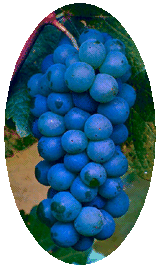
Go to the picture and make sure that you are set up with your transparent color as the background color and your program ready to handle transparencies. Paste, finding the composition you want, then trim edges. |

|
Take your spray paint tool, set it at its most diffuse setting, and spray the edges on towards the middle. Make sure you get the outside edges thouroughly so that there is no apparent sharp line, but you should still be able to see a bit of color peeping through. |
|
Make a window similar in shape to the one you made before, but smaller. The co-ordinate numbers at the bottom of the screen can be very helpful in doing this. Fill it with the transparent color, select it then copy it. |
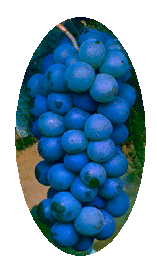
|
Go back to the safe copy of your picture, make another working copy off of it. Go to the working copy. Set the background color to your transparent color, make sure you're set up for transparency, then paste making sure you're framing an area inside the area you framed before. |
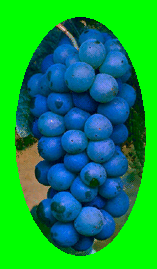
|
This time, make the surrounding oval your working transparent color. Select and copy. |
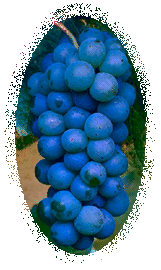
|
Align and paste; you should know the drill by now. |
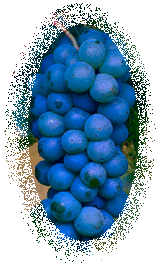
|
How much "frost" you have depends on how much you sprayed the picture and how big your inside oval is. |
diy | diy 2 | diy 3 | fall | flora | granny | home | light | lobstah | misc. | more | punk | spring | stained glass | summer | summer linnens | tile | vorkosigan | winter